

Your company's compliance, all in one place.
TIPS gives your company a live dashboard for everything the DOT/FMCSA expects of you: your authority, your insurance, your fleet, your filings, and the deadlines that keep them current. One profile holds your carrier, drivers, vehicles, trailers, and document requirements.
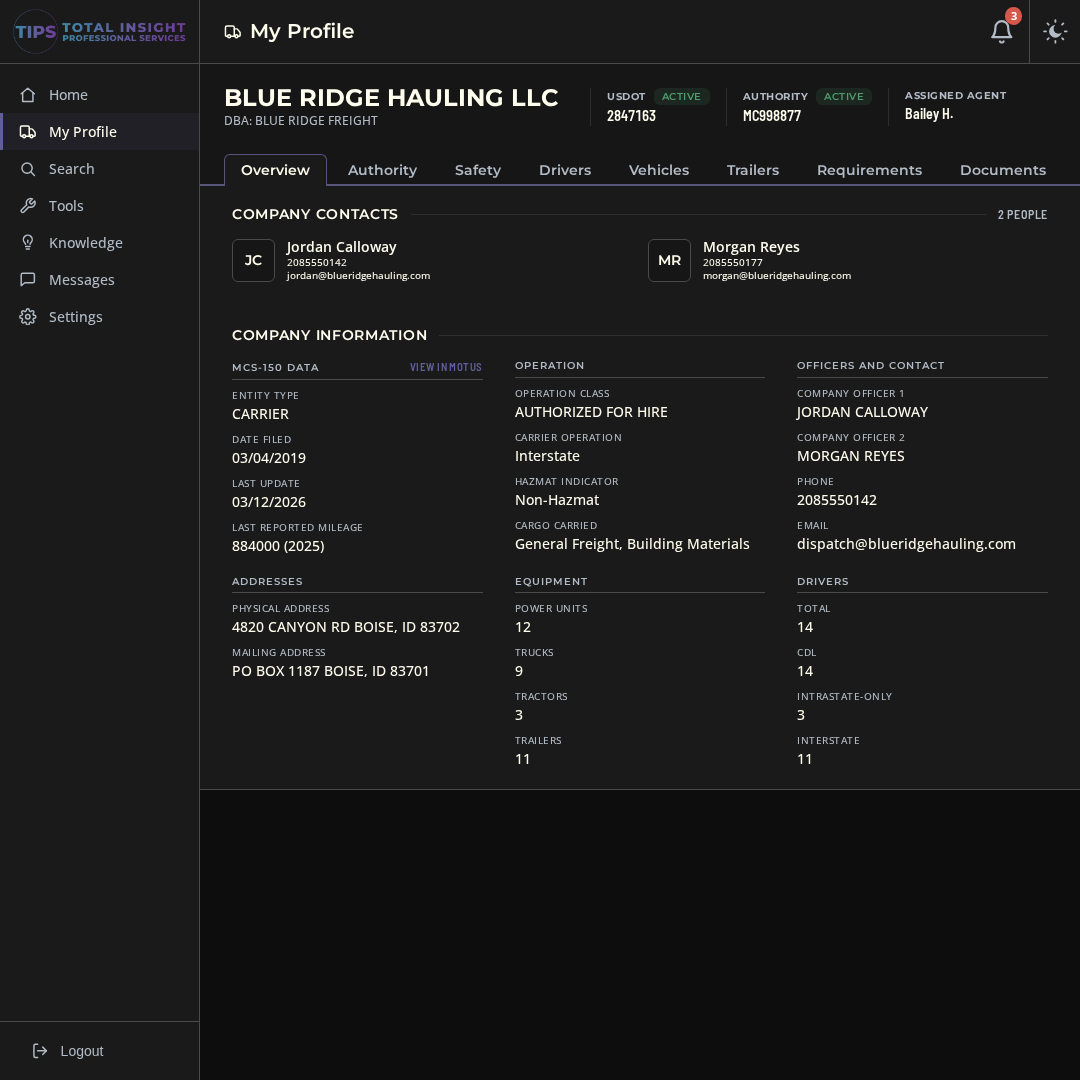
Everything auditors expect, in one company profile
Your company at a glance
Legal name, DBA, USDOT and MC status, company officers, contacts, and your fleet and driver counts, straight from your MCS-150. This is what the DOT has on file for you, so you can catch anything that's out of date before it causes a problem.
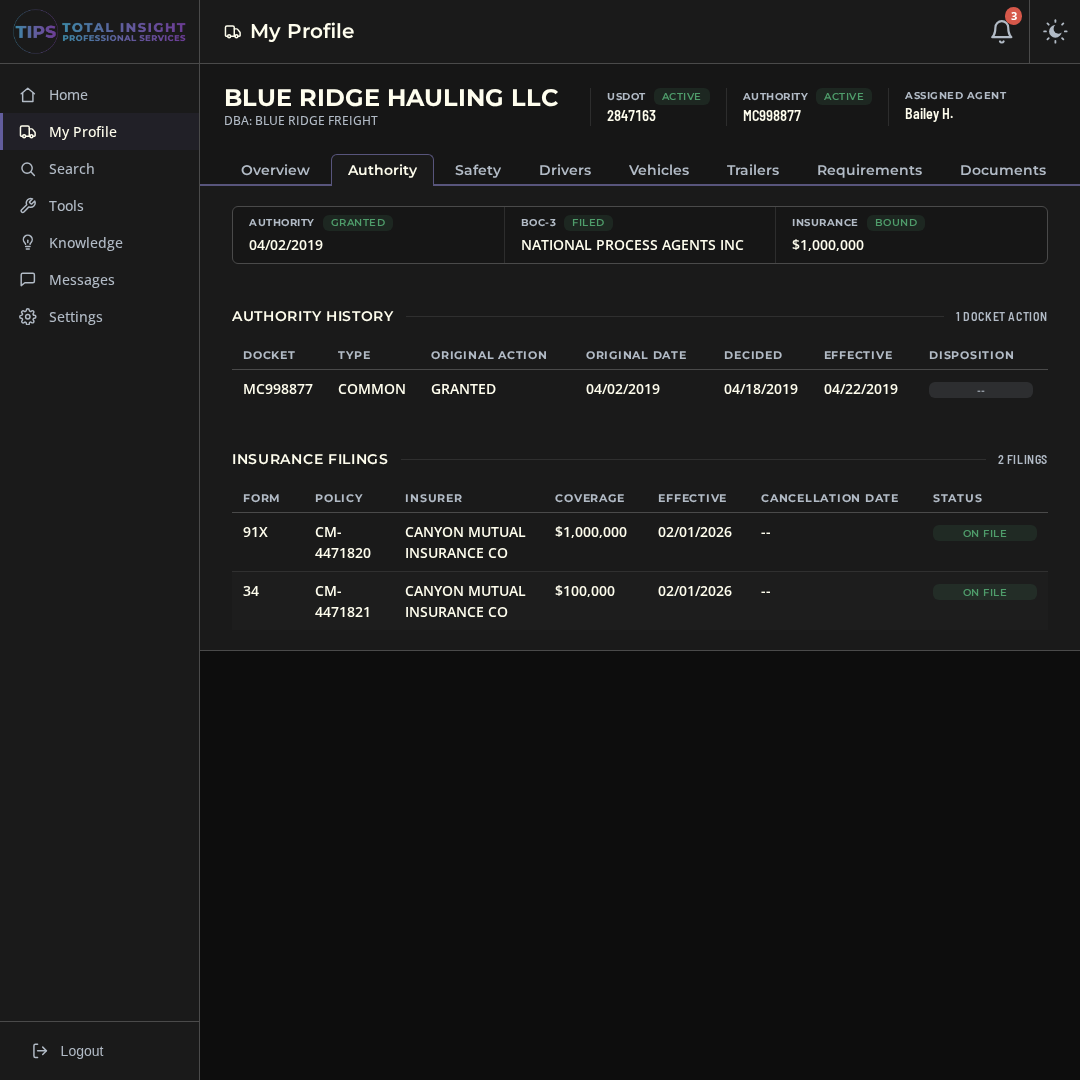
Authority, BOC-3, and insurance on file
Every docket, your BOC-3 process agent, and every insurance filing FMCSA has for you, with effective dates and coverage amounts. If an insurance filing gets cancelled or replaced, you'll get a message.
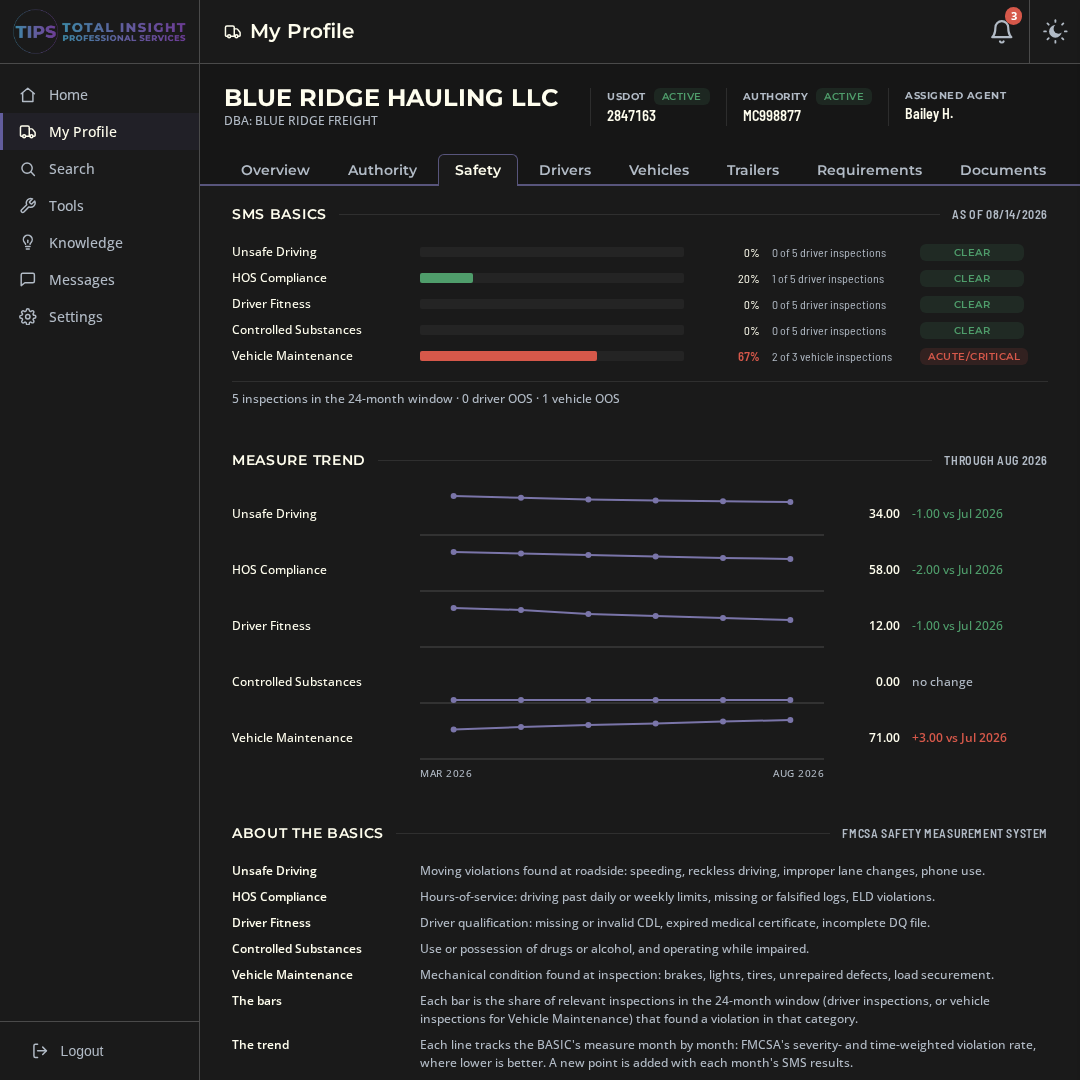
Your safety scores, inspections, and crashes
SMS BASIC scores with the month-to-month trend, every roadside inspection with the violations that were written up, and any crashes on your record. Catch a BASIC that's climbing before it turns into an audit.
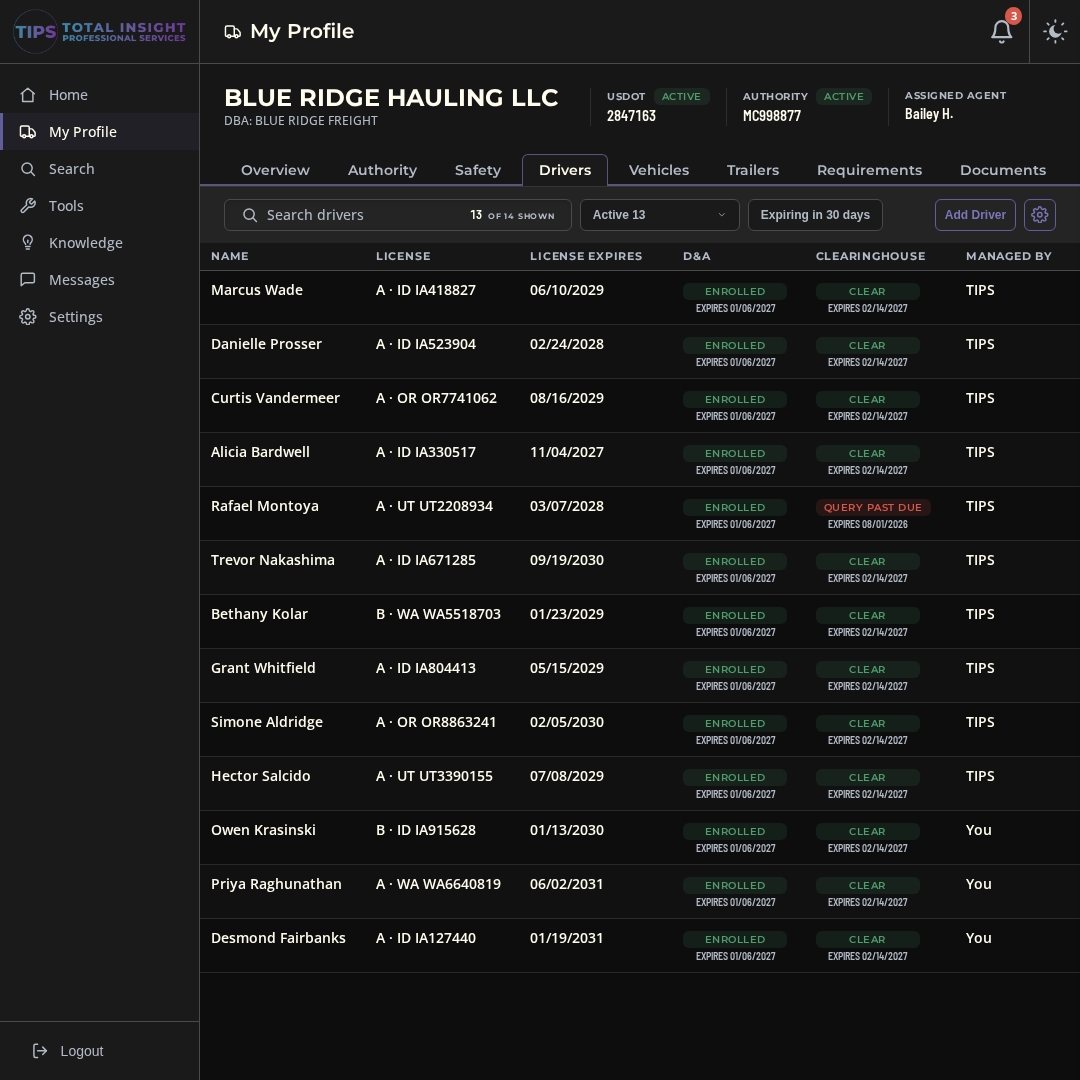
Driver details that stay current
CDL class and expiration, medical cards, MVR reviews, hire dates, and truck assignments for every driver, with expiring items flagged ahead of time. Add your own fields for training, reporting location, roles, or anything else you want to track.
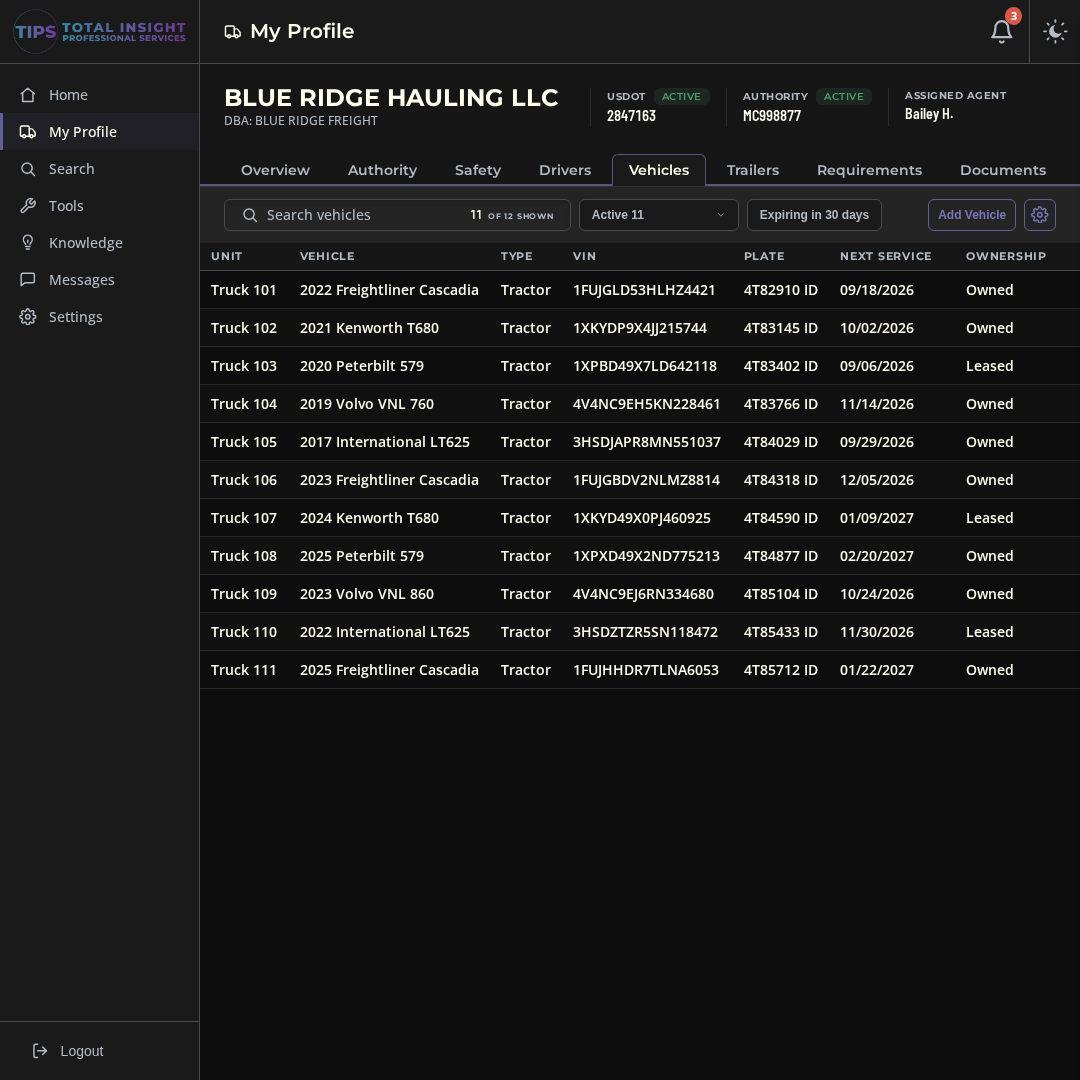
Every truck and tractor on the road
Year, make, VIN, plate, registration, and annual inspection dates for every power unit, along with the driver and trailer assigned to it. Expiring registrations and inspections show up on your calendar.
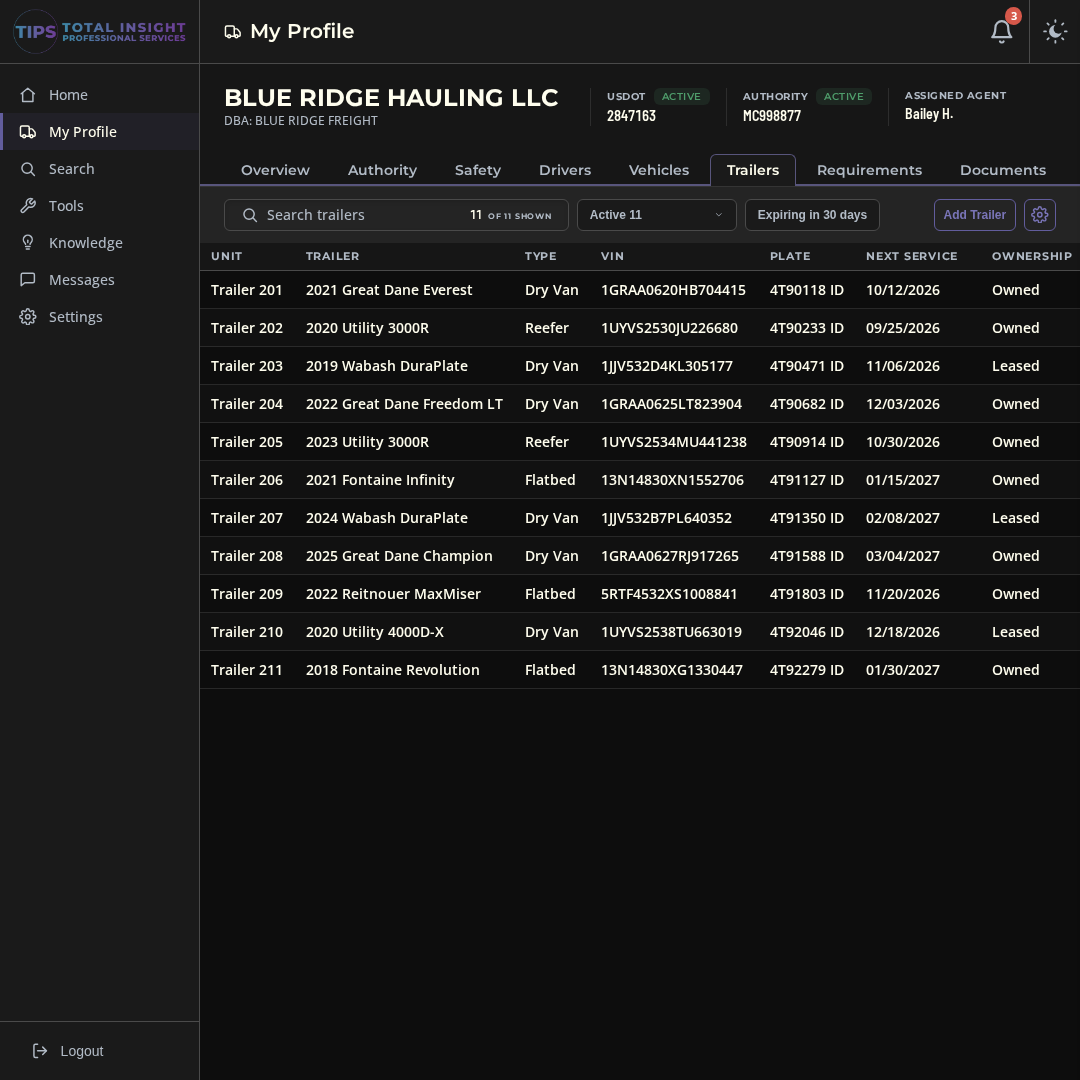
Trailers, tracked the same way
Dry vans, flatbeds, and reefers with VIN, plate, registration, and annual inspection dates, plus which truck each one is hooked to. One place to look when a trailer comes up for inspection.
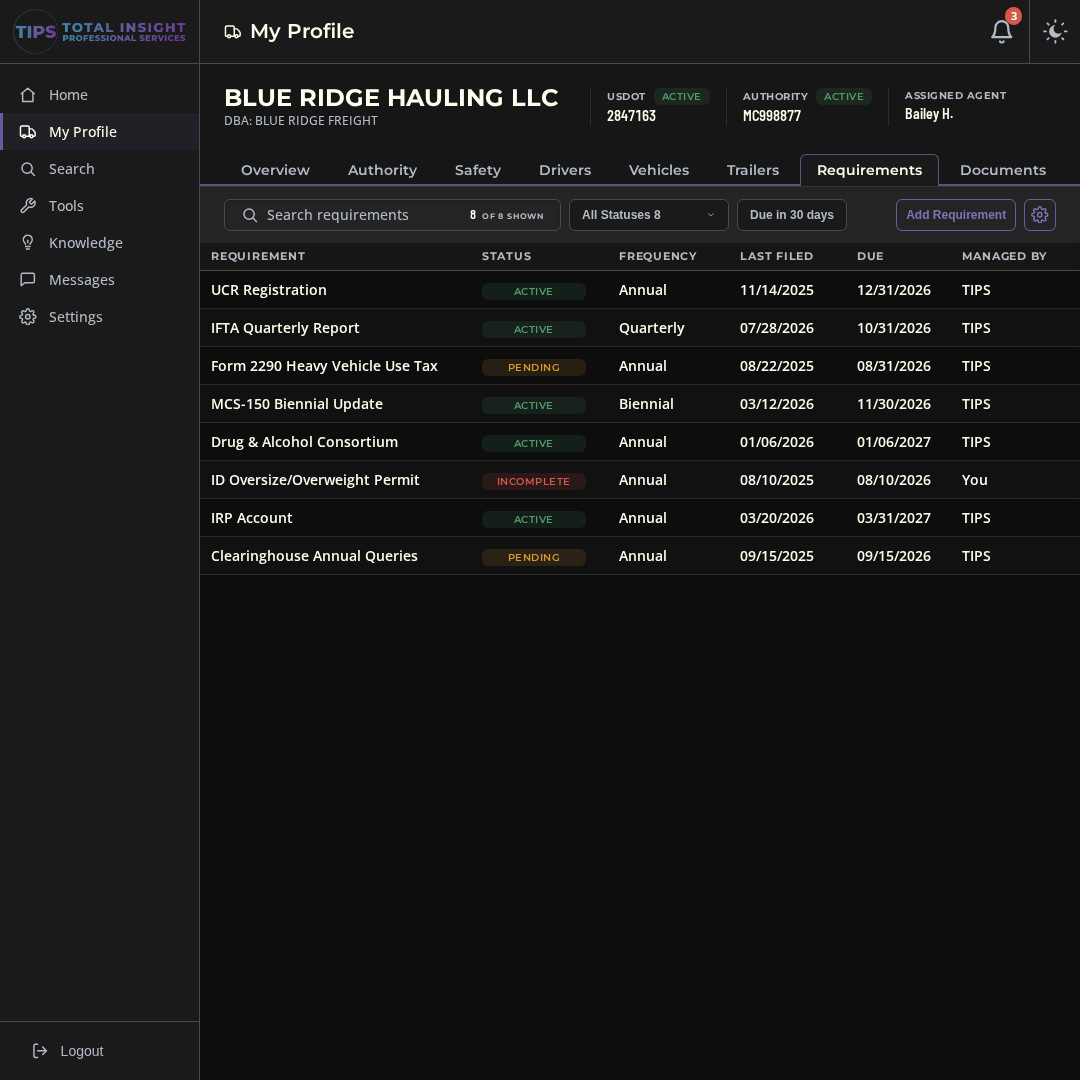
Permits and filings, with due dates
UCR, IFTA, Form 2290, Clearinghouse queries, state permits, and anything else you renew. Each one has a status, a due date, and the proof attached to it.
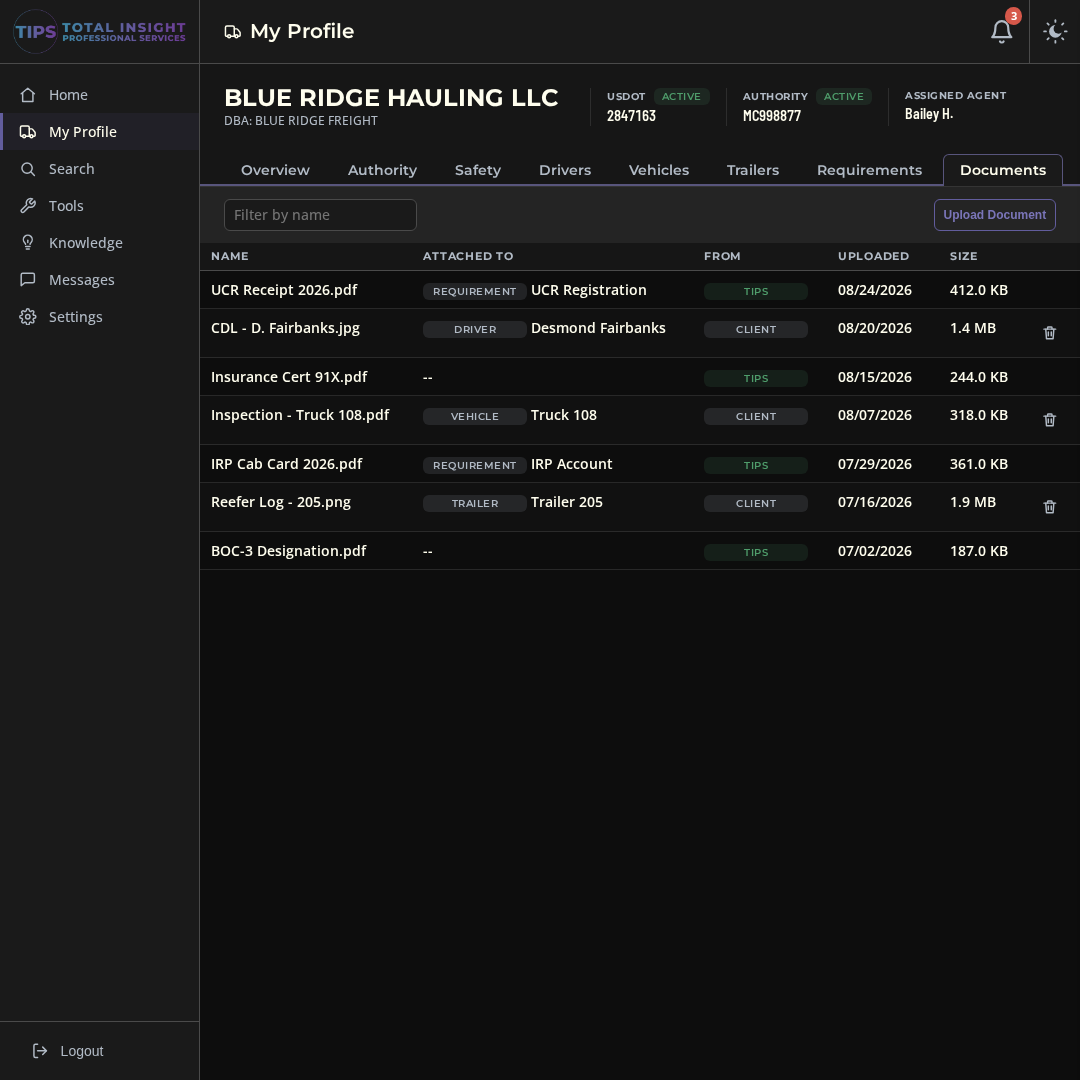
One place for your paperwork
Upload cab cards, CDLs, insurance certificates, and anything else from your workspace. Anything TIPS files for you goes in the same place, so you always know who sent what and when.
Pick your billing. Same dashboard either way.
Monthly
Pay as you go on a monthly subscription. Every feature included from day one.
Choose MonthlyAnnual
One payment covers the year. Twelve months of the dashboard for the price of nine.
Choose AnnualBoth options include the full dashboard: workspace, calendar, USDOT search, files, knowledge base, and the direct line to TIPS.
Both plans start with a two-week free trial at tools.tiproservices.com. No card required.
Frequently asked questions
What does the compliance dashboard track?+
Everything the DOT/FMCSA expects of your company: your authority and insurance status, your drivers, vehicles, and trailers, your filings, and the deadlines that keep them current, including MCS-150 updates, insurance renewals, scheduled filings, and any custom events you add.
How much does the dashboard cost?+
$18 per month with the monthly subscription, or $162 per year with the annual subscription, which works out to three months free. Both options include every feature.
Does the dashboard replace working with TIPS directly?+
No, it connects you closer. A direct line to the TIPS team is built into the dashboard, so when a deadline or alert raises a question, the people who file for carriers all day are one message away.
Can I look up other companies?+
Yes. Search any USDOT number and see that carrier's authority, insurance, fleet size, and safety posture from FMCSA systems. Useful for checking a partner carrier, a competitor, or a company you're about to work with.
Where do my documents live?+
In your dashboard's files: registrations, CDLs, insurance documents, and the rest of your record-keeping, stored with your company workspace instead of scattered across inboxes and glove boxes.
How do the alerts work?+
The calendar tracks your known deadlines, and automated alerts notify you when public information about your company changes. Between the two, the surprises that take carriers out of service stop being surprises.
Take compliance tracking out of your head
Try the full dashboard free for two weeks. No card, no payment details, nothing to cancel. If it earns its spot, pick a plan when the trial ends.
(208) 278-6722Call us, or text (208) 398-0635